
Dashboards vs. Reports: The Difference and When to Use Each
Thursday, end of the day. An analyst drops a dashboard screenshot into the leadership group chat with the caption: "monthly report attached". The director opens the image, stares at a mosaic of twelve charts, and replies with the only question that mattered: "so... was it good or bad?". Silence.
The screenshot had every number and no answer. This scene repeats itself every month in companies of all sizes, because "dashboard" and "report" have become synonyms in business vocabulary. They are not. And treating one as the other is expensive: the team monitors everything, explains little, and decides on improvisation.
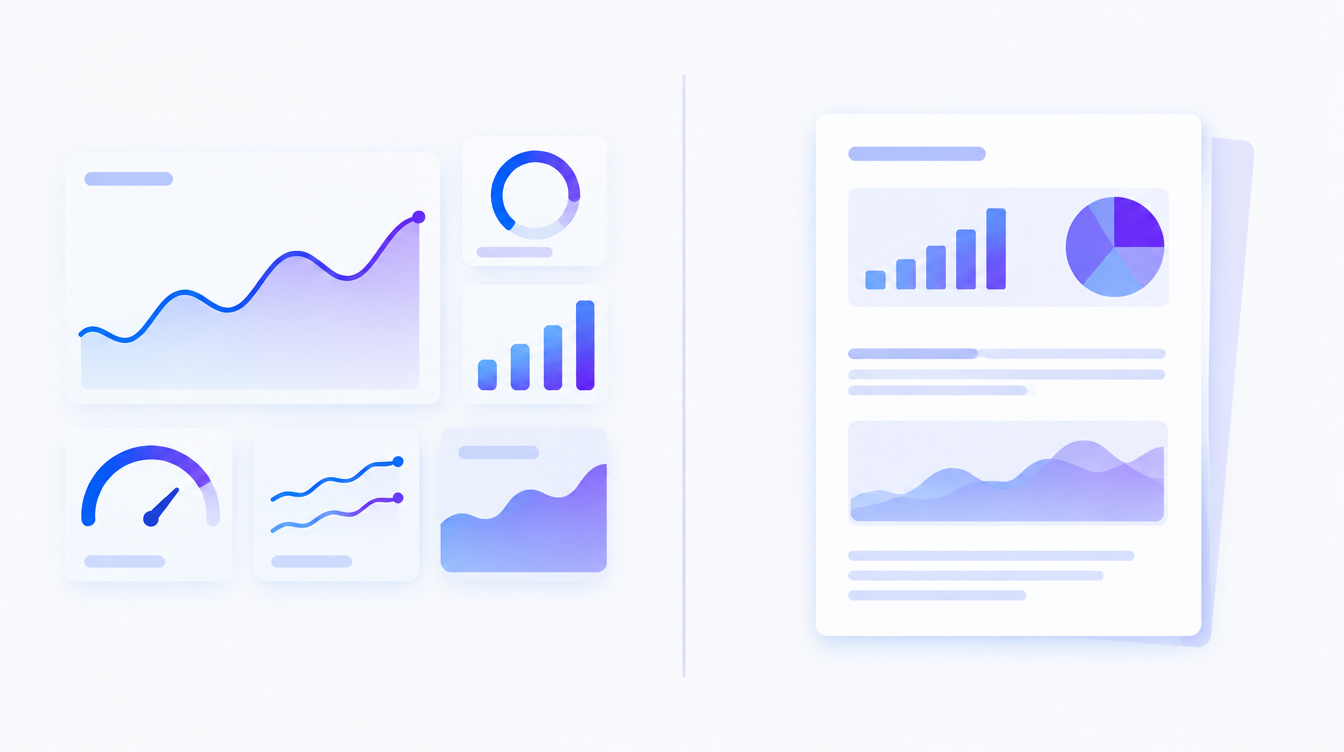
The difference between a dashboard and a report is simple: a dashboard is a continuous monitoring tool that shows, in real time (or close to it), what is happening with your business metrics. A report is a point-in-time analysis of a closed period that explains why the numbers behaved the way they did and recommends what to do next.
What a dashboard does well (and what it does not do)
A dashboard exists to answer one question: "what is happening right now?". It connects to your data sources, refreshes on its own, and shows the current state of the metrics you chose to watch: today's sales, this week's CPA, pacing against target, critical inventory.
Its value is early detection. A CPA that spikes on Tuesday shows up on Tuesday, not at month-end close, when the budget is already gone. That is why a good dashboard is lean: few indicators, the same ones every day, always compared against a target. If you are still deciding what to track, start with the right KPIs for each stage of the funnel.
What a dashboard does not do: explain. It shows the drop, not the cause. It does not know that a competitor launched an early Black Friday sale, that your main creative wore out, or that the sales team changed its script last week. Interpretation is still a job for humans, or for AI that carries business context; more on that at the end.
What a real report looks like
A report answers two other questions: "why did it happen?" and "what do we do now?". It is an analyzed snapshot of a closed period, with a beginning, a middle, and an end: context, results against target, causes, lessons, and a recommendation.
The key word is narrative. A good report picks three or four relevant facts and connects them: "CPA rose 38% because the lead creative saturated in the second half of the month; we paused it, tested two new ones, and recovered margin in the final week; for next month, we recommend rotating creatives every two weeks." Whoever reads it finishes knowing what to decide. The full step-by-step lives in how to build a marketing report.
The problem is cost. Research by Fluent across 104 marketing agencies found that small agencies spend 20 to 30 hours per month building each client's report, and that only 1 in every 3 minutes of that time goes into actual analysis; the rest is extraction, cleaning, and formatting. Teams burn their energy packaging data and have little left for thinking.
Dashboard or report: how do you choose?
This table sums up the differences that matter day to day:
| Dashboard | Report | |
|---|---|---|
| Question it answers | What is happening? | Why did it happen, and what next? |
| Timing | Continuous, real time or near it | Point-in-time, over a closed period |
| Format | Visual, interactive, always on | Narrative, with analysis and recommendations |
| Typical audience | Operators (team, manager) | Decision-makers (leadership, client) |
| Shelf life | Permanent, refreshes itself | Expires when the next one ships |
| Typical failure | Too many metrics nobody watches | A data almanac with no conclusion |
Real time vs. narrative: the most common usage mistakes
Almost every data problem starts with using one tool in the other's role. Four mistakes come up constantly:
1. Sending a dashboard screenshot as a report
The mistake from the opening scene. A screenshot delivers numbers without a reading and pushes the interpretation work onto the recipient, usually the person with the least operational context. If the recipient has to ask "was this good or bad?", what they received was not a report. With clients, the damage is worse: a client results report without a narrative reads as carelessness, even when the results were good.
2. Writing a report that is a data almanac
The opposite fails too: 30 pages of exported charts, one metric per slide, no conclusion. Volume feels like work, but decision-makers do not need everything; they need what changed, why it changed, and what you recommend. If the report has no action verb anywhere (pause, reallocate, test), it describes instead of guiding.
3. Building a dashboard with 40 indicators
A panel that tries to show everything monitors nothing: it becomes wallpaper. There is also a trust problem. In Salesforce's State of Data and Analytics study, only 43% of business leaders say they completely trust the quality of their own data. The more loose metrics on screen, the more discrepancies show up and the less the team believes the panel. Fewer tiles, more trust. Lean layouts worth copying are in sales dashboard examples.
4. Swapping the frequencies
A daily report is waste: there is no new cause to explain every 24 hours, so the writing becomes an empty ritual. A dashboard reviewed once a month is the opposite waste: you pay for real time and use it as a monthly snapshot. Rule of thumb: monitor at the pace of operations (daily or weekly) and narrate at the pace of decisions (monthly, quarterly, or at the end of each campaign).
In practice: the two work as a cycle
Picture a mid-sized fashion e-commerce. The media dashboard shows CPA moving from $42 to $58 in the second week of the month: a 38% jump. The manager does not wait for month-end close; they investigate on the spot, find that the lead creative has saturated, and pause it. At the end of the month, the report tells the whole story: what the panel flagged, what was done, how much was recovered, and what changes in the next plan.
That cycle is what separates companies that use data from companies that collect data: the dashboard flags early, the analysis explains, the report records and guides. Without the first, you find out late. Without the second, you see but do not understand. Without the third, the company never learns and the same problem returns next quarter under a different name.
Frequently asked questions
Does a dashboard replace a report?
No. A dashboard shows the current state of your metrics, but it does not explain causes or record decisions. Anyone who receives only the panel still needs someone to interpret it. The two complement each other: one monitors, the other narrates and recommends.
What is the difference between a dashboard and a report in Power BI?
In Power BI, a "report" is the set of interactive pages built in the editor, and a "dashboard" is the panel that gathers visuals pinned from one or more reports. That is tool-specific naming. The conceptual distinction in this article (monitor vs. explain) holds regardless of the software.
How often should I update a dashboard and a report?
Dashboard: automatic refresh, checked daily or weekly depending on the operation. Report: monthly for management, quarterly for leadership, and at the end of every relevant campaign. Any frequency beyond your capacity to decide only creates noise.
Does every company need both?
Very small companies can start with a simple monthly report alone. The moment there is daily media spend or a weekly sales target, going without a panel means finding problems weeks late, which usually costs more than the tool.
Is a dashboard the same thing as BI?
No. BI (business intelligence) is the whole process: collecting, integrating, cleaning, and analyzing data. The dashboard is only the visible layer of that process. You can have a beautiful panel sitting on top of bad data, and that is exactly where the danger lives.
Monitoring is machine work; deciding is yours
The question "dashboard or report?" has a short answer: both, each in its own role. What makes no sense in 2026 is paying skilled people to copy numbers from one place to another, 25 hours a month, for every client or business unit. That part is machine work.
That is what Sherlok does: it connects Meta Ads, Google Ads, GA4, your CRM, and spreadsheets in one place, keeps monitoring continuous, and answers plain-language questions like "why did CPA rise last week?" with a ready analysis, cause, and recommendation. The dashboard stays alive, the report ships in minutes, and your time goes back to the one part no machine does: deciding.
Your AI agents already know what to do in your account.
Turn them on free, no credit card.
- No credit card
- Read-only access
- Revoke it any time